
Over the years, we at Digital4nx Group have received calls from attorneys, companies, trustees, executors, receivers, and decedents' loved ones with regard to regaining access to a mobile device for which they don't have the passcode.
Below is what people need to know when these matters arise from a technical perspective and the advancement of mobile technology:
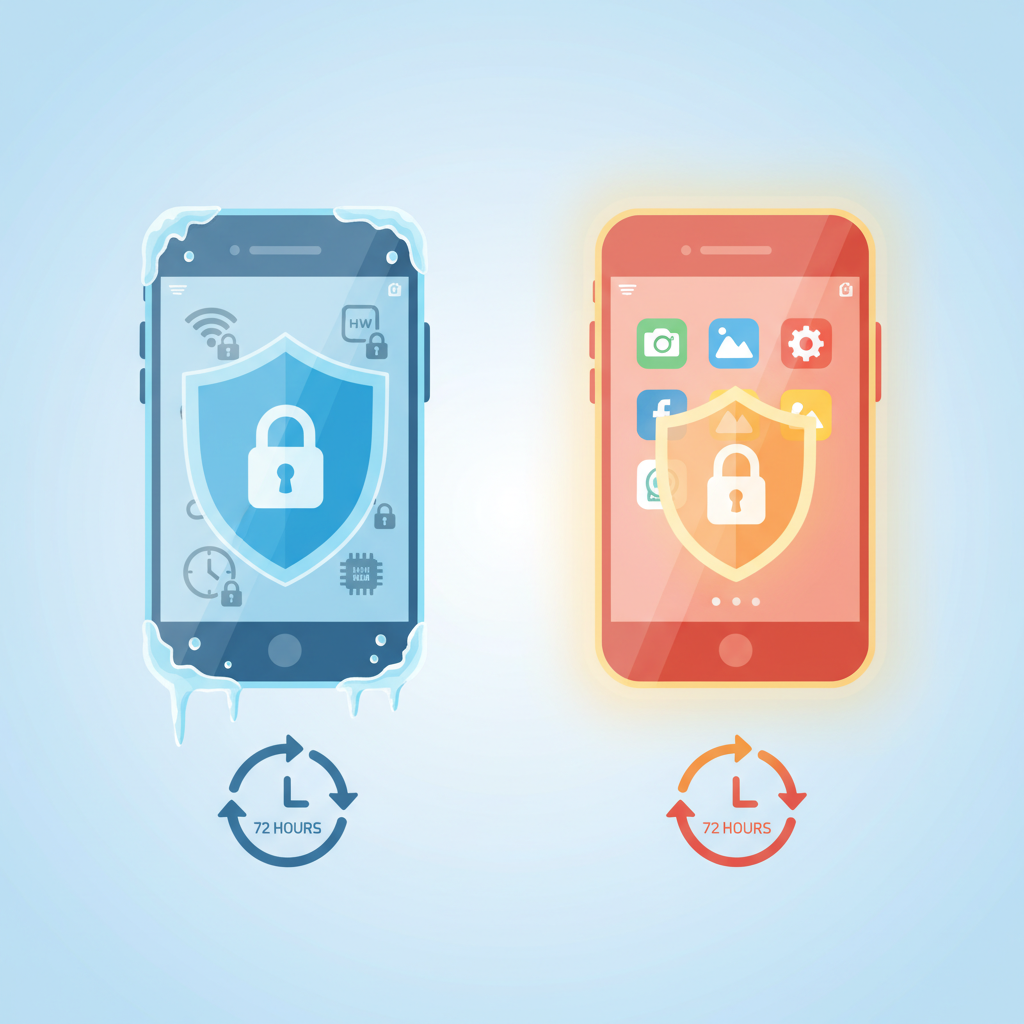
Modern mobile devices protect user data through layered encryption. For investigators, understanding the difference between BFU (Before First Unlock) and AFU (After First Unlock) is critical — especially now that iOS and Android automatically reboot devices after 72 hours of inactivity.
BFU: The “Cold” State
BFU occurs when a device is powered on or restarted but has not yet been unlocked with a passcode. Most data remains encrypted and inaccessible. Only Device Encrypted (DE) storage is available, offering limited but sometimes useful artifacts such as:
- Wi-Fi connection info
- Alarm and clock settings
- Some system notifications
- Hardware identifiers (IMEI, IMSI, ICCID)
- System files and boot logs
- Partial iOS keychain data
Field example:
A seized phone powers on and immediately demands a passcode — this is BFU.
AFU: The “Hot” State
AFU describes a device that has been unlocked at least once since boot and remains powered on. Encryption keys reside in RAM, giving examiners access to significantly more data, including most app content and user‑generated data.
On iOS, AFU still blocks certain categories — such as Mail, Health, and Significant Locations — unless a Full File System extraction is performed with the actual passcode.
Field example: A suspect recently used their phone; the screen is locked but has not been rebooted — this is AFU.
Why This Matters: Encryption & File-Based Access
File‑based encryption splits data into two zones:
- Device Encrypted (DE): Available at boot and in BFU
- Credential Encrypted (CE): Accessible only after unlock
Think of DE as the front porch of a house and CE as the interior — you need the key to access anything inside.
The 72‑Hour Auto‑Reboot
iOS 18.1 introduced an automatic reboot after 72 hours without a successful unlock, resetting the device to BFU and wiping encryption keys from memory. Android implemented a similar feature starting in 2025.
Nothing prevents the reboot — not Faraday bags, charging status, or network isolation. Only unlocking the device resets the timer.
The New Extraction Timeline
- Hour 0–4: Triage and attempt Instant Passcode Retrieval (IPR)
- Hour 4–24: Perform AFU extraction for maximum data
- Hour 48–72: Final opportunity to pull AFU‑state data
- Hour 72: Device reboots to BFU; only DE data remains
Best Practices for Investigators
- Record when the device was last unlocked
- Prioritize AFU extraction immediately
- Perform BFU extraction early as backup
- Use Faraday isolation for remote‑wipe protection (but not reboot prevention)
- Understand device‑specific reboot rules (iOS 18.1+, Android 16, Samsung options)